

Paypal Fee Calculator
amount * percentage rate + fixed fee
Percentage Rate: 3.4%
Fixed Fee: $ 0.3
PayPal Fee Transaction Calculation Results
How to use this Paypal Calculator?
Step 1: Enter Your Total Product Price
Start by inputting the full amount you plan to charge your customer. This should include not just the base price of your product, but also any additional costs like shipping, taxes, or service fees. PayPal calculates its fees based on the total amount paid, so including everything upfront ensures accurate results.
Step 2: Choose Your Selling Country
Next, select the country where your customer is located. This step is important because PayPal fees can vary depending on the transaction region, especially for international payments.
Step 3: Calculate Your Final Price
Once everything is set, click the Calculate button. The tool will instantly compute the PayPal fees and help you understand how much you’ll receive or how much you should charge to maintain your desired profit.
Detailed Explaination of the Calculator Result
- Customer Must Pay (Your Selling Price)
- This is the total amount you should charge your customer. It ensures that PayPal fees are already covered, so your intended retail price remains intact.
- You Receive (Your Net Earnings)
- This is the actual amount you’ll get after PayPal deducts its fees. It reflects your true earnings from the transaction.
- Fee (PayPal Charges)
- This is the amount PayPal collects for processing the payment. It is automatically deducted from the total paid by the customer.
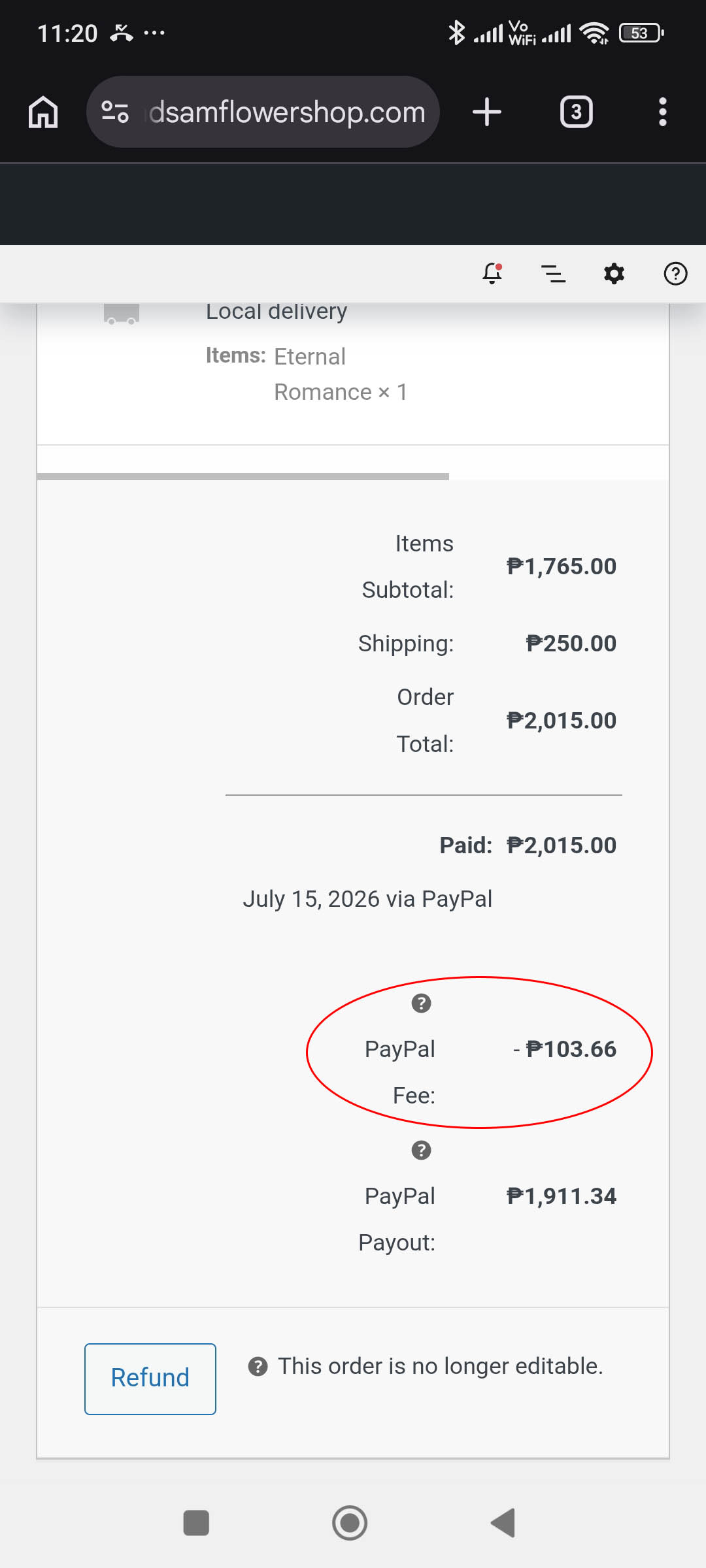
This screenshot demonstrates a real-world PayPal fee calculation for a transaction in the Philippines. A customer paid ₱2,015.00, including shipping, while PayPal deducted a ₱103.66 transaction fee, resulting in a net payout of ₱1,911.34. This example illustrates how a PayPal fee calculator helps sellers estimate PayPal processing fees, calculate the amount they will receive, and understand the difference between the customer’s payment and the final payout.
Understand the Challenge of Pricing with PayPal Fees
Have you ever wondered how to accurately price your products when customers choose PayPal as their payment method? Many e-commerce sellers struggle to factor in transaction fees without affecting their profit margins.
Discover a Smarter Way to Price Your Products
To simplify this process, a PayPal seller fee calculator can help you determine the right product price. It ensures that all PayPal fees are included while still maintaining your desired profit.
Use a PayPal Fee Calculator for Accurate Pricing
This simple calculator is designed to help merchants and business owners compute the correct selling price by automatically including PayPal transaction fees. It removes guesswork and helps you price confidently.
Apply It Across Any eCommerce Platform
Whether you’re running your store on WooCommerce, Shopify, or any other eCommerce platform, this calculator works seamlessly. It’s a practical tool for anyone selling products online and accepting PayPal payments.
Maximize Profit While Staying Competitive
By using a PayPal seller calculator, you can protect your margins, stay competitive in pricing, and provide transparency to your customers, all without manual computations.